Tutorial 3 — Relative paths and trailhead paths
Tutorial 3 of the Kalix tutorial series. You'll reorganise Tutorial 2's Stringybark model into a typical multi-folder project layout, add a wetter-climate scenario at a deeper folder, and switch from fragile relative paths to portable trailhead paths. Expected time: about 15 minutes.
What you'll build
A small project with shared input data in one place and two model variants — a baseline and a wetter scenario — at different depths under a models/ folder. Along the way you'll experience how relative paths break, and you’ll fix it once-and-for-all using Kalix's trailhead paths.
Prerequisites
-
Kalix software and the Tutorial files — refer to Tutorial 1 — Your first model.
-
Tutorials 1 & 2 complete — see Tutorial 1 — Your first model and Tutorial 2 — Expressions. We'll build on Tutorial 2's model.
-
Tutorial files — download the
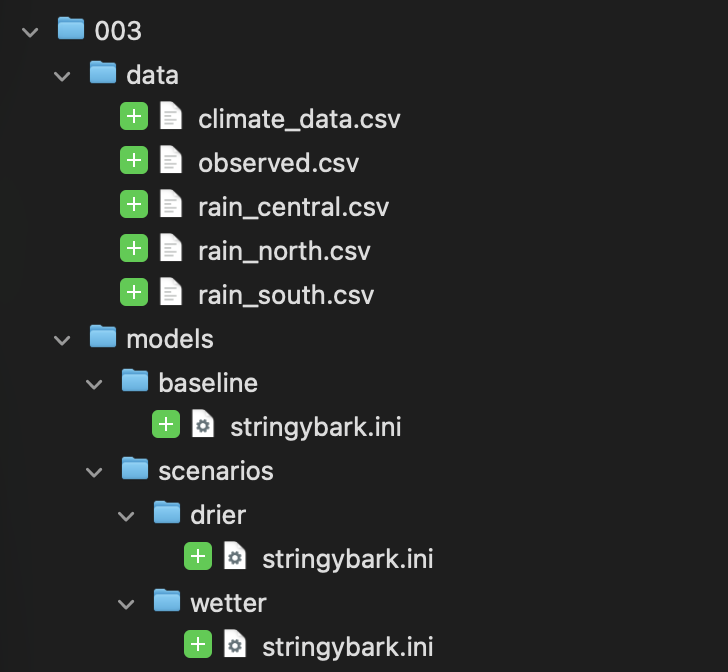
003/folder from the KalixTutorials repository. It ships with this layout:
003/
├── data/
│   ├── climate_data.csv
│   ├── observed.csv
│   ├── rain_north.csv
│   ├── rain_central.csv
│   └── rain_south.csv
└── models/
    └── baseline/
        └── stringybark.ini
The three path styles
Kalix accepts three styles of path in [data]:
| Style | Example | How it resolves |
|---|---|---|
| Absolute | /Users/chas/data/climate.csv C:/data/climate.csv |
Resolved exactly as written. Always points to the same place on this machine; never travels. |
| Relative | ../data/climate.csv |
Resolved against the folder the model file lives in. Travels as long as the folder structure around the model stays the same. |
| Trailhead | ^/data/climate.csv |
Starts at the model's folder and searches upward through parent folders until the target is found. Travels gracefully when models move to different depths. |
For the full reference on path syntax and resolution, see Declaring Input Data.
Step 1 — Run the baseline
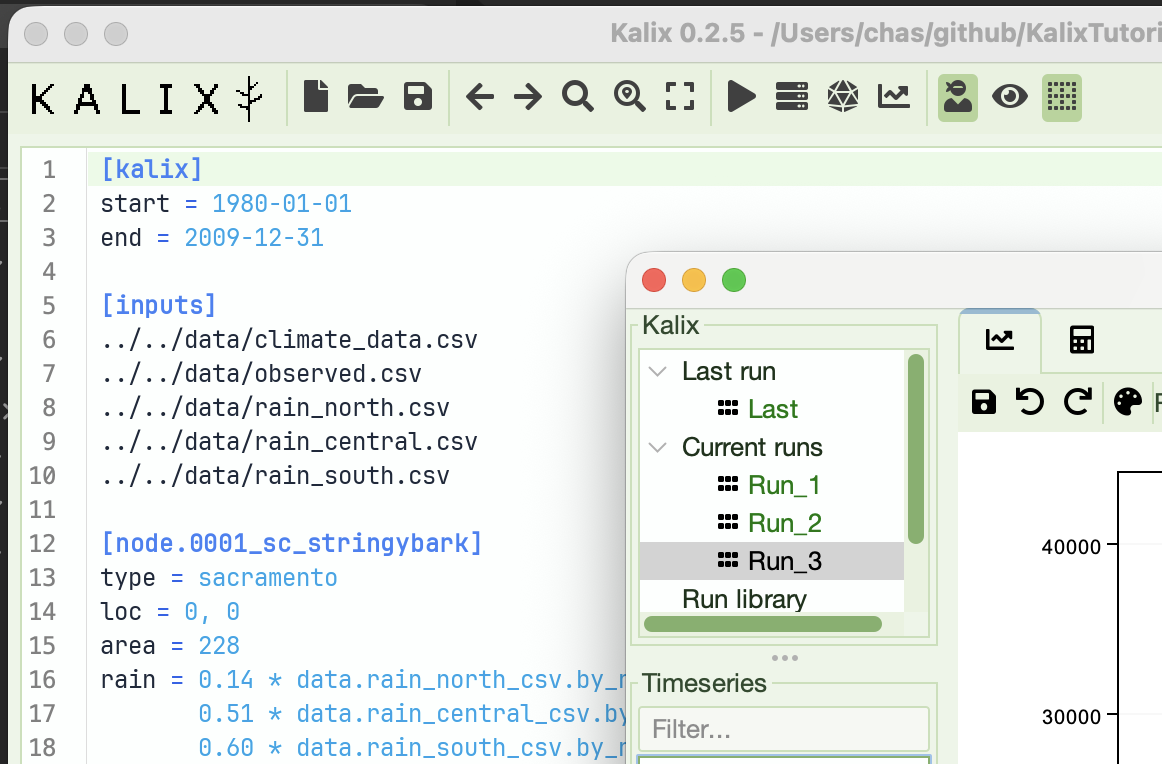
Open models/baseline/stringybark.ini in Kalix IDE. The [data] section uses relative paths — each one starts with ../../ to step up out of baseline/ and models/, then into data/:
[data]
../../data/climate_data.csv
../../data/observed.csv
../../data/rain_north.csv
../../data/rain_central.csv
../../data/rain_south.csv
Run the model. It works — the relative paths resolve correctly because ../../data/... does in fact point at the data folder from where this model sits.
Step 2 — Add a wetter-climate scenario
Now imagine you want to explore what happens if rainfall is 20% higher. The clean way to manage variants is to put each scenario in its own folder so files don't collide.
Create a new folder models/scenarios/wetter/, then copy baseline/stringybark.ini into it. Your tree should now look like:
003/
├── data/
│   └── …
└── models/
    ├── baseline/
    │   └── stringybark.ini
    └── scenarios/
        └── wetter/
            └── stringybark.ini   ← new copy
Open the new models/scenarios/wetter/stringybark.ini and change the rain line to scale the existing weighted sum by 1.2 (using the parentheses pattern from Tutorial 2's experiment #4):
rain = 1.2 * (0.14 * data.rain_north_csv.by_name.rain_mm +
              0.51 * data.rain_central_csv.by_name.rain_mm +
              0.60 * data.rain_south_csv.by_name.rain_mm)
Step 3 — Watch the paths break
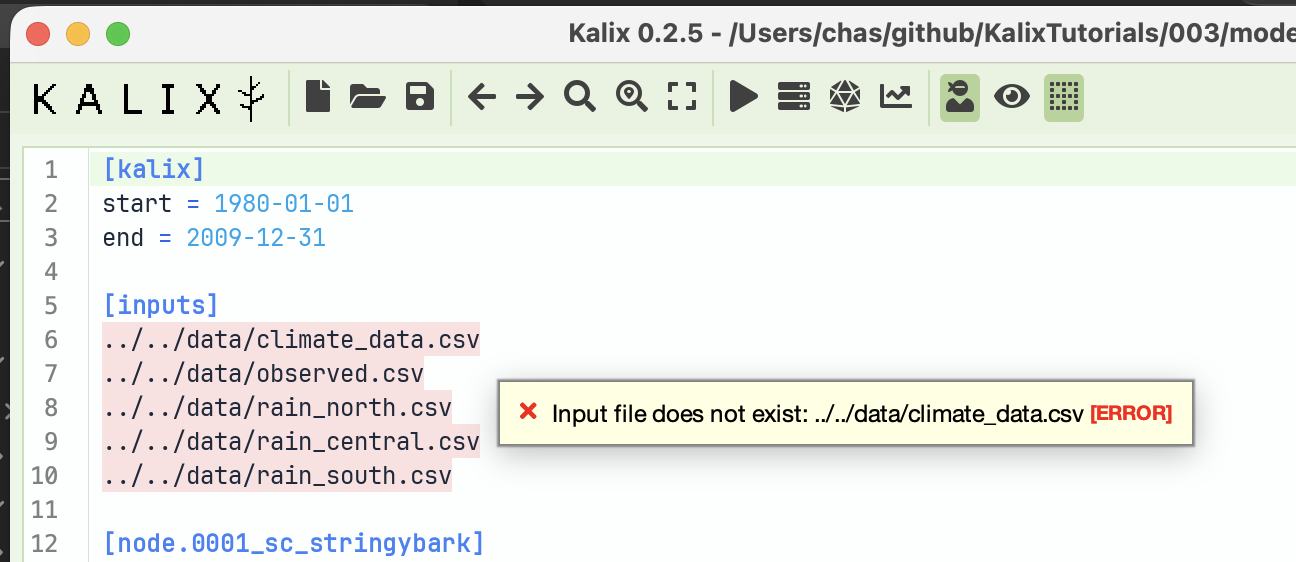
Try to run the wetter model.
It fails. Kalix tells you it can't find the input files. Why? The new file lives at models/scenarios/wetter/, which is three levels above data/, not two. The relative paths still say ../../data/..., which from this deeper location now points to models/data/ — a folder that doesn't exist.
Step 4 — Two ways to fix it
Option A — Patch the relative paths
You could change the wetter model's [data] from ../../data/... to ../../../data/... (one more ../ to climb the extra level):
[data]
../../../data/climate_data.csv
../../../data/observed.csv
../../../data/rain_north.csv
../../../data/rain_central.csv
../../../data/rain_south.csv
This works. But every time you add a deeper scenario folder, or move a model around, you have to re-count ../ segments and edit every line in [data]. The number of ../ segments depends on where each model lives, which is fragile.
Option B — Switch to trailhead paths
The ^/ prefix turns the path into a trailhead path — Kalix starts at the model's folder and searches upward through parent folders until it finds the target. This means the same line works regardless of how deeply the model is nested.
Replace ../../ (or ../../../) with ^/:
[data]
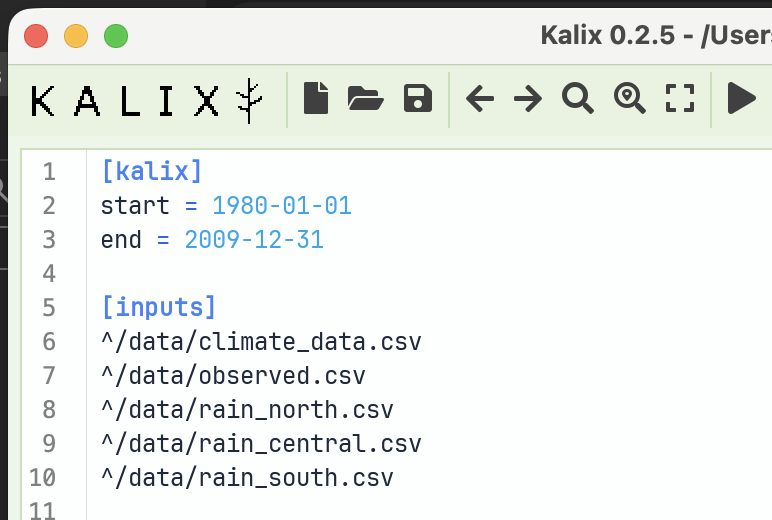
^/data/climate_data.csv
^/data/observed.csv
^/data/rain_north.csv
^/data/rain_central.csv
^/data/rain_south.csv
Whether your model is at models/baseline/ or models/scenarios/wetter/sensitivity/, the trailhead expression resolves to the same data/ folder. You write it once and forget it.
Step 5 — Apply trailhead paths to both models
Update the [data] section in both models/baseline/stringybark.ini and models/scenarios/wetter/stringybark.ini to use the trailhead form shown above. Save both files. Now both models share the same [data] block — literally the same five lines — even though they live at different depths.
Run both and compare
Run the baseline. Run the wetter scenario. Both work, from any depth.
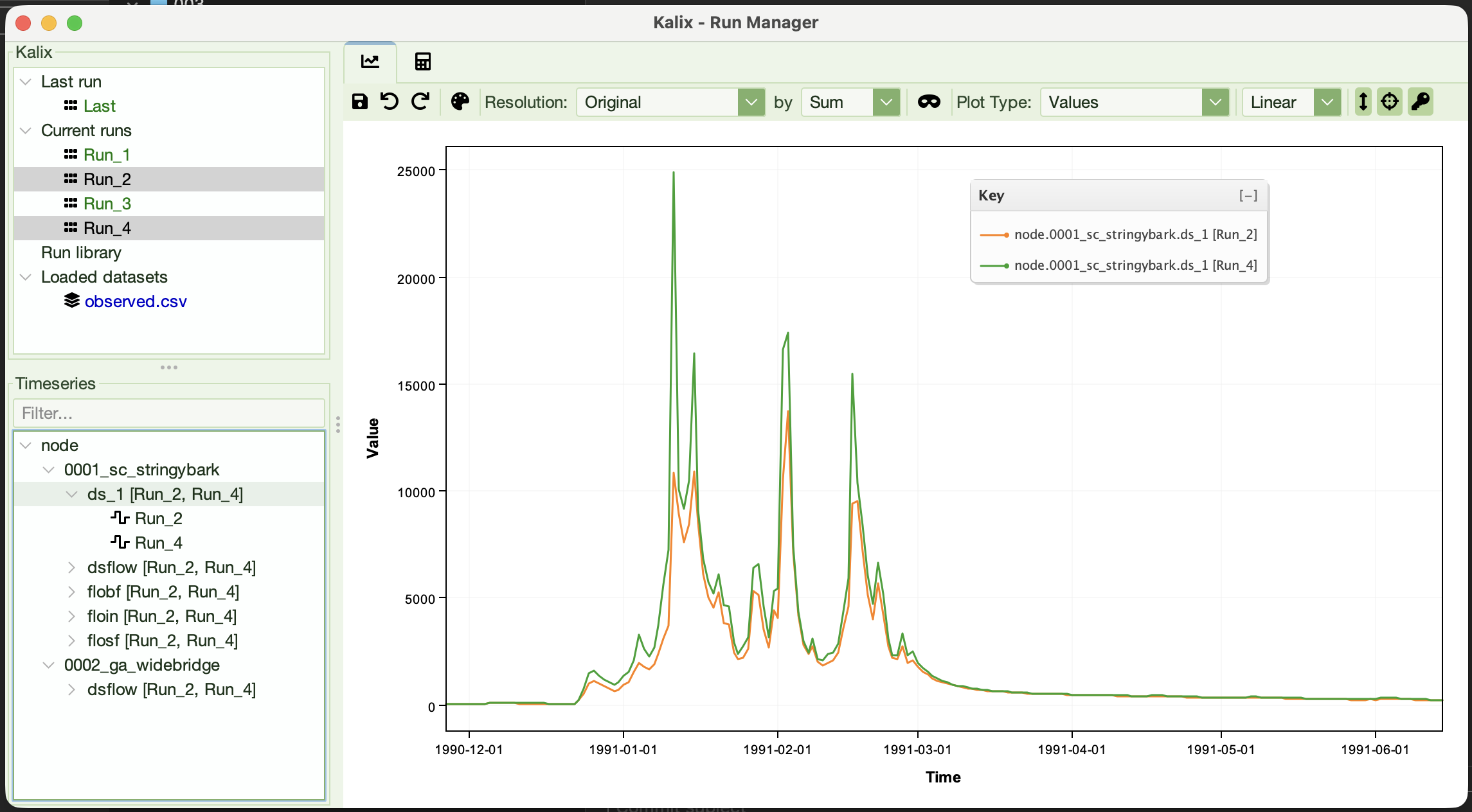
Open the Run Manager and overlay node.0002_ga_widebridge.ds_1 from each run. You should see the wetter scenario's simulated flow sitting noticeably above the baseline's — the 1.2× rainfall multiplier you wrote into the wetter rain expression flows straight through to streamflow.
What to try next
-
Go deeper — create
models/scenarios/wetter/sensitivity/stringybark.ini(another copy of wetter). Same trailhead paths; same result. The deeper the nesting, the bigger the win over relative paths. -
Move the whole project up a level — rename
003/to something else, or move it under a different parent folder. Both models still run. Trailhead paths don't care where the project itself lives. -
Move the
data/folder — try movingdata/from003/data/to003/raw/data/. Now the trailhead paths break. Update them to^/raw/data/...in one model and confirm it works. -
Mix and match — leave one input as an absolute path, the rest as trailhead. Kalix happily mixes styles within a single
[data]block.
Where to go from here
-
Tutorial 4 — Running Kalix from the commandline — drive Kalix from a terminal instead of the IDE. Foundation for scripting and batch runs.
-
Tutorial 5 — Running Kalix from Python — wire Kalix into data-science notebooks for analysis and post-processing.